
Transform Your Home Office: The Ultimate Filing System for a Clutter-Free Life
Hello friends! I hope your weekend was nothing short of fantastic. Mine involved a significant amount of organizing, a task that always feels incredibly rewarding in the end, but throughout the process, you often find yourself pondering whether it wouldn’t be easier to just discard everything rather than sort through it all. Does that resonate with you?
After successfully overhauling our coat closet, a newfound organizational zeal took hold! My next target was our home office. For too long, this space had served less as a productive workspace and more as an unofficial ‘landing zone’ for miscellaneous items awaiting a permanent home. While the “we just moved in” excuse served its purpose for a while, it was clearly time for a change. If your home office currently resembles a chaotic sea of papers, requiring you to wade through stacks just to reach your desk, you’re in the right place. I’ve developed a streamlined filing system that can help you reclaim your space and your sanity.
The Genesis of Organization: Finding Our Perfect Desk
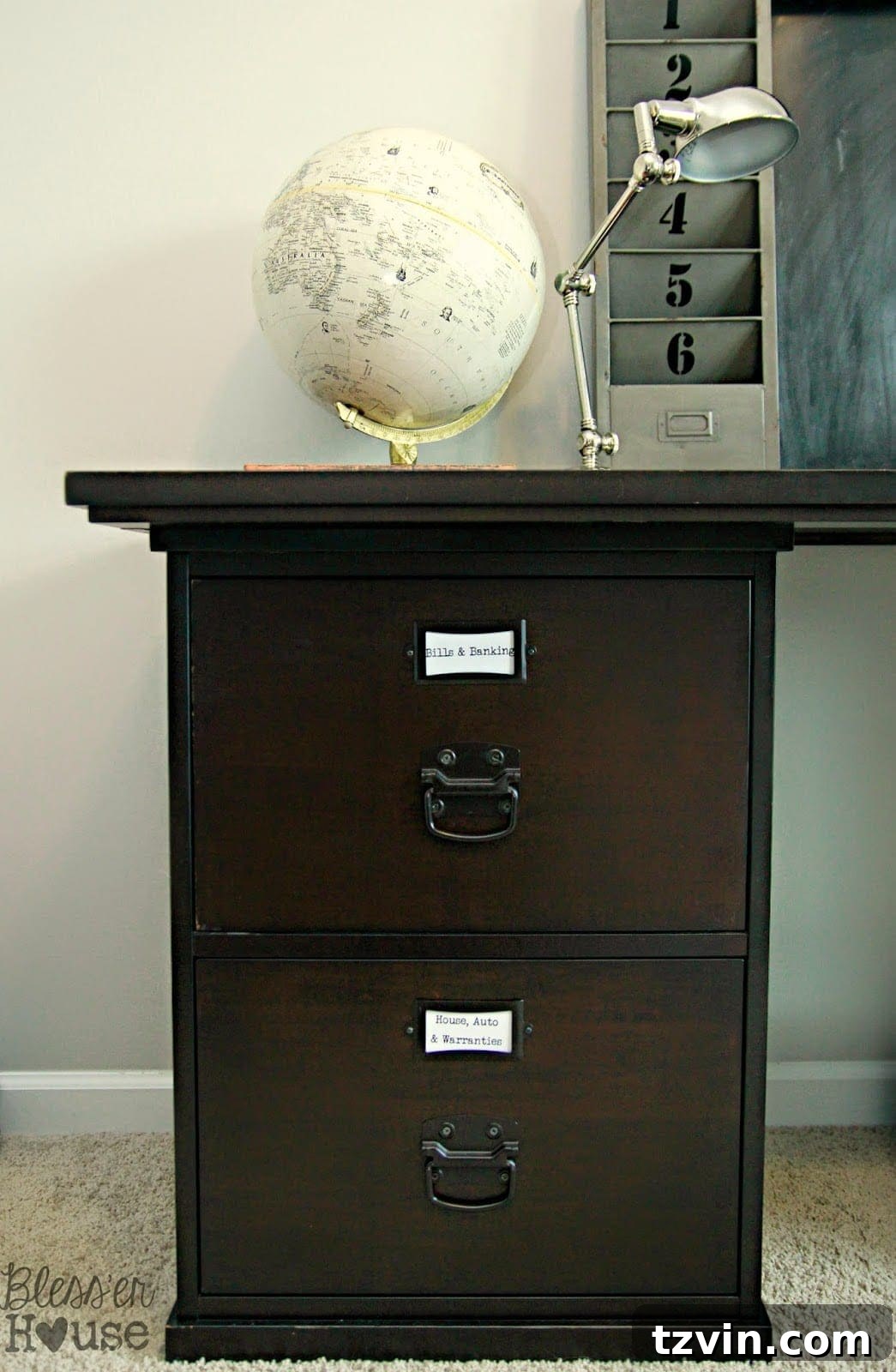
Several months ago, I shared the exciting story of how we stumbled upon a Pottery Barn Bedford Desk on Craigslist. This wasn’t just any desk; it was a steal at $180, considering its retail price of $900! Beyond its aesthetic appeal, this desk offered immense potential for organization, boasting numerous drawers and compartments. To further enhance our storage capabilities, we also snagged an additional filing cabinet from Goodwill for a mere $10. Perhaps it’s the lingering spirit of my teaching days, when lesson plan filing was a daily ritual, but I approached this organizational challenge with an almost zealous determination.
Setting Up Your Home Office Filing System for Success
The first step was to gather every loose paper item scattered throughout our home – from drawers and countertops to the overflowing fire-proof box. This collection process was eye-opening, revealing just how much undifferentiated paperwork had accumulated. With everything in one place, I could finally design a comprehensive filing system that instantly transformed our office into one of the most functional rooms in our house. It was long overdue, and the impact was immediate!
To truly immerse yourself in the organizing mood and ensure lasting efficiency, invest in some crisp, new hanging folders and create clear, legible labels. Easy-to-read labels are paramount for quick navigation and consistent filing. This small investment in supplies makes a huge difference in the long-term usability of your system.
I spaced out the entire organizing process over a few days, strategically tackling tasks during our little one’s nap times. And trust me on this: attempting to organize files with a toddler present in your office is a mission destined for failure. For your own peace of mind, it’s best to simply step away until they’re asleep for the night.
Your Comprehensive Home Office Filing System Plan:
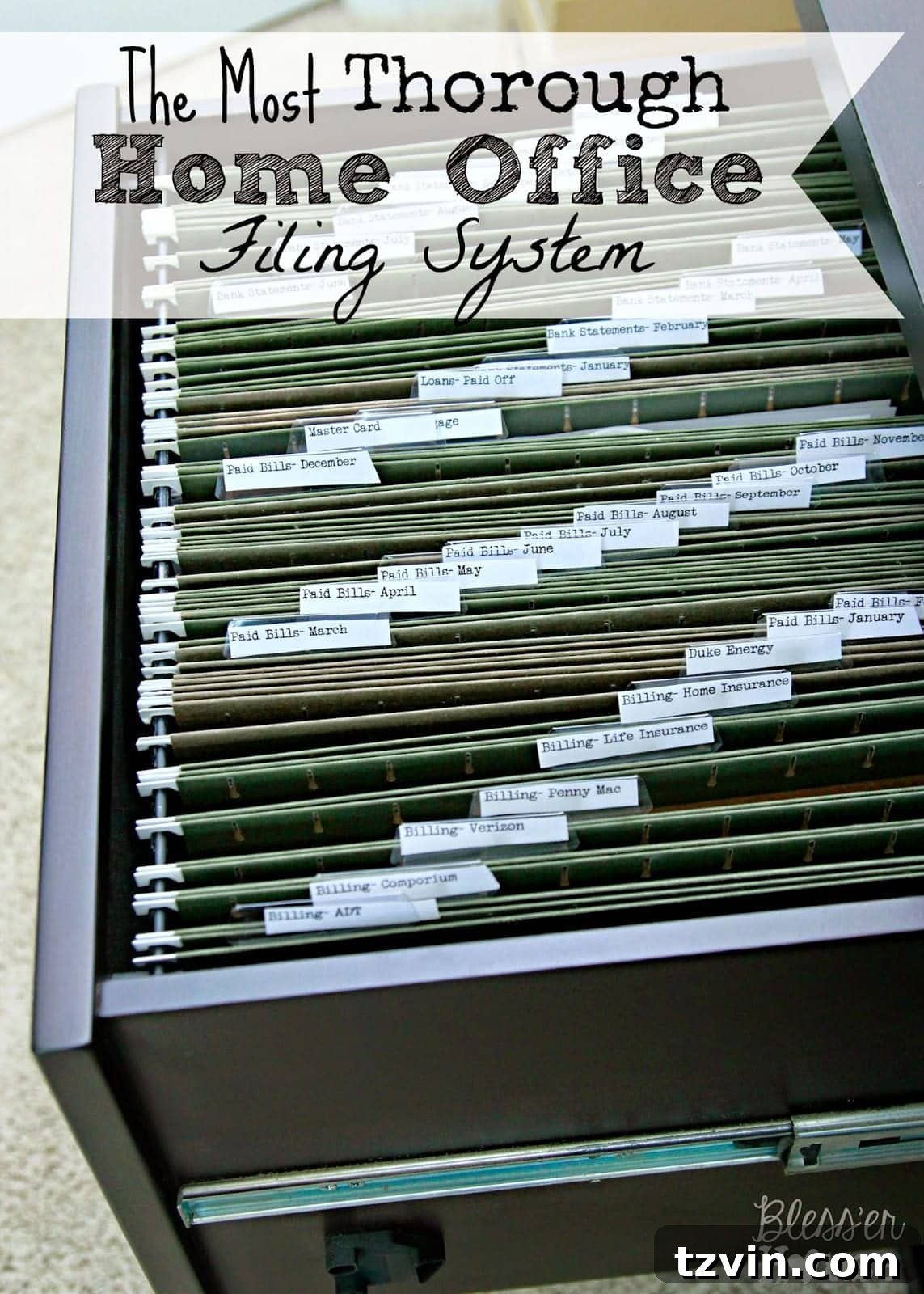
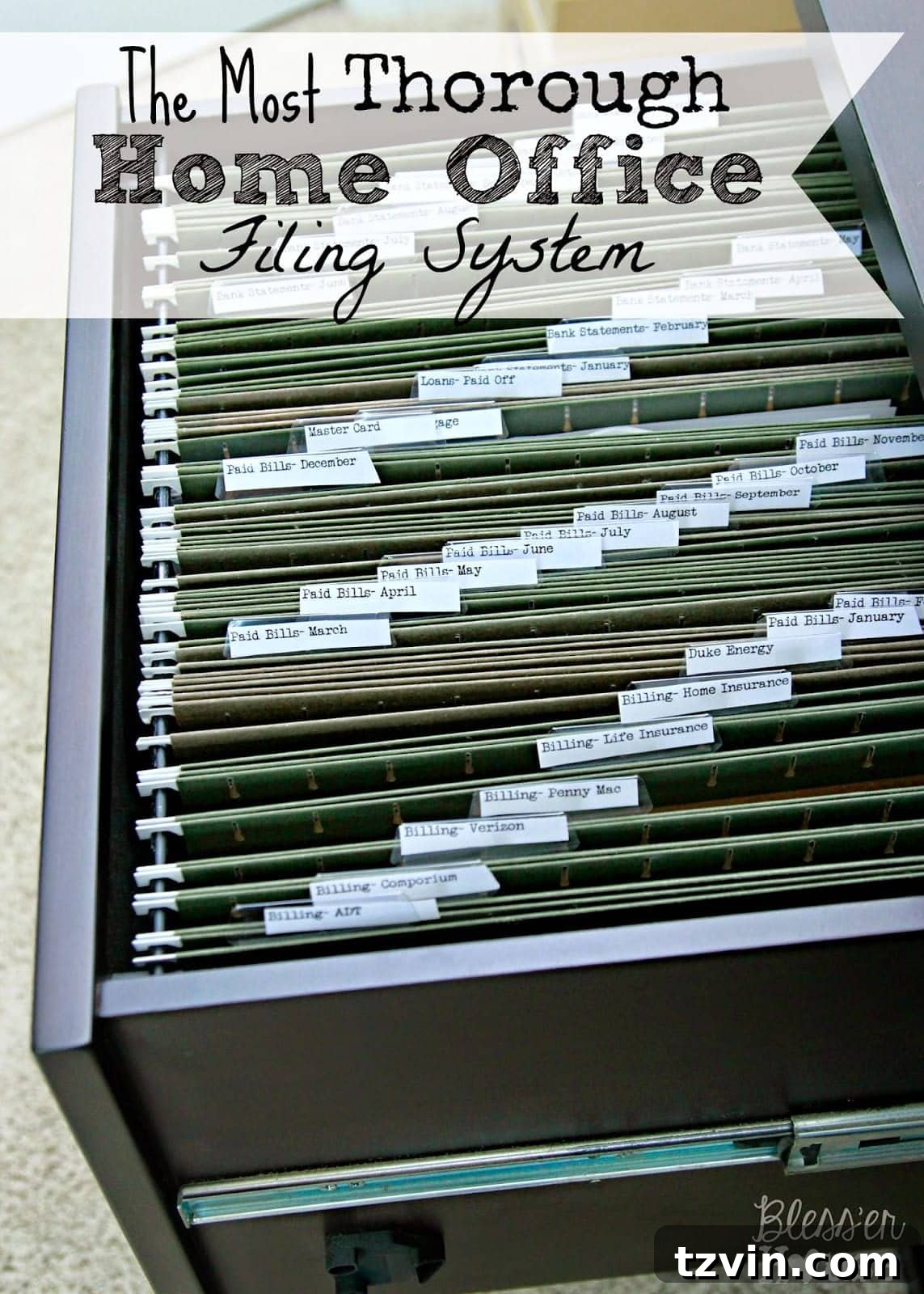
Below, you’ll find a detailed breakdown of categories and sub-categories, designed to provide a logical and efficient structure for your paper files. Each main category corresponds to a file cabinet drawer, ensuring ease of access and clear segregation of documents.
Bills & Banking: Managing Your Financial Flow
This section is crucial for maintaining a clear overview of your financial obligations and transactions. Keeping current bills separate from paid ones helps track upcoming payments, while monthly statements provide a comprehensive record for budgeting and review.
- Billing – Internet Service
- Billing – Security System Service
- Billing – Cell Phone Service
- Billing – Mortgage
- Billing – Life Insurance
- Billing – Home Insurance
- Billing – Electricity
- Billing – Water
- Billing – Gas
- Paid Bills – January
- Paid Bills – February
- Paid Bills – March
- Paid Bills – April
- Paid Bills – May
- Paid Bills – June
- Paid Bills – July
- Paid Bills – August
- Paid Bills – September
- Paid Bills – October
- Paid Bills – November
- Paid Bills – December
- (At the end of the year, all paid bills are consolidated and filed into your Taxes/Income drawer for easy access during tax season.)
- Credit Card Statements
- Loan – Mortgage Information
- Loans – Paid Off
- Bank Statements – January
- Bank Statements – February
- Bank Statements – March
- Bank Statements – April
- Bank Statements – May
- Bank Statements – June
- Bank Statements – July
- Bank Statements – August
- Bank Statements – September
- Bank Statements – October
- Bank Statements – November
- Bank Statements – December
- (Similar to paid bills, bank statements are archived into the Taxes/Income drawer at year-end for financial record-keeping.)
House, Auto & Warranties: Protecting Your Assets and Investments
This category is dedicated to the essential documents pertaining to your home and vehicles, as well as crucial product warranties. Keeping these records organized ensures you have quick access to vital information for maintenance, insurance claims, or potential resale.
- Auto Policies
- Homeowners Association Documents
- Contractors (Records of services, contacts, estimates)
- House Deed
- Builder’s Warranty (Essential for new homes, ours includes a 10-year structural warranty.)
- Home Inspection(s) Reports
- Records – Exterminator (Service dates, treatments)
- Manual – Car #1
- Manual – Car #2
- Manual – Car Security Systems
- Warranty – Refrigerator
- Warranty – Dishwasher
- Warranty – Garage Door Openers
- Warranty – Washing Machine
- Warranty – TV
- (Add as many warranty folders as you need for your appliances and electronics. Always save them; they are invaluable if something breaks or if you decide to resell. Discard after expiration. Update from a helpful reader: When you purchase a new appliance, write the date of purchase clearly on the outside of the owner’s manual and staple the receipt to it before filing. You might think you’ll remember how old an appliance is, but time truly flies!)
- Sold Vehicle Documents
- Copies of Wills (Ensure originals are in a secure location, like a safe deposit box.)
- Wedding Ring Documents (Appraisals, Insurance, Maintenance records)
- Maintenance – Car #1 (Service records, oil changes, repairs)
- Maintenance – Car #2 (Service records, oil changes, repairs)
Taxes & Income: Your Financial History in Order
This section is paramount for tax preparation and financial planning. The IRS generally suggests retaining tax-related documents for at least six years in case of an audit, so prepare to create multiple folders for consecutive years.
- Tax Donations – [Year Date]
- Office Expenses – [Year Date]
- Travel Expenses – [Year Date]
- Job #1 (Income, W-2s, Pay Stubs) – [Year Date]
- Job #2 (Income, W-2s, Pay Stubs) – [Year Date]
- Filed Tax Documents – [Year Date]
- Retirement Documents (401k, IRAs, pensions)
- Stocks (if applicable)
- Trust Fund (if applicable)
- Annuity (if applicable)
- Other IRS Documents
Medical, Education, Work & Military (if applicable): Personal & Professional Records
These files cover critical personal information, from health records to career achievements. Keeping them organized ensures easy access for appointments, school applications, or professional advancements.
- Doctor Bills Paid – Family Member #1
- Doctor Bills Paid – Family Member #2
- Doctor Bills Paid – Family Member #3
- Medical Benefits Summaries (Explanation of Benefits – EOBs)
- Medical Documents – Family Member #1 (Medical history, test results)
- Medical Documents – Family Member #2 (Medical history, test results)
- Medical Documents – Family Member #3 (Medical history, test results)
- Prescriptions (Records of current and past medications)
- Vision (Eye exam records, prescription history)
- Dental (Dental records, treatment plans)
- Veterans Affairs Documents (if applicable)
- Vet (Pet medical records)
- Education Accolades – Family Member #1 (Diplomas, certificates, awards)
- Education Accolades – Family Member #2 (Diplomas, certificates, awards)
- Education Accolades – Family Member #3 (Diplomas, certificates, awards)
- Military Accolades (if applicable)
- Work-Related Documents (Contracts, certifications, performance reviews, offer letters)
- Resumes (Current and past versions)
- Portfolios (Creative or professional work samples)
Art, Love Letters, Special Cards & Photos: Cherishing Memories
This category is dedicated to the sentimental items that bring joy and preserve precious memories. Proper storage ensures these invaluable keepsakes are protected and easily accessible for a nostalgic trip down memory lane.
- Artwork – [Year] – [Child’s Name] (Create as many folders as needed for different years and children to keep their masterpieces organized.)
- Love Letters
- Special Cards – Birthdays
- Special Cards – Anniversaries
- Special Cards – Showers/Birth
- Special Cards – Wedding
- (Consider saving envelopes as well to maintain a record of family members’ mailing addresses, or diligently log them into a digital spreadsheet for convenience.)
- Photo CDs/USBs – [Year Date] (Make as many folders as needed for different years to store your digital photo archives.)
Documents for a Safe Deposit Box: Critical Records
Some documents are so vital that they require the highest level of security, ideally a safe deposit box at your bank. These items are irreplaceable and should be protected from fire, theft, or other unforeseen events.
- Original Birth Certificates
- Marriage Licenses
- Social Security Cards
- Military Discharge Papers (DD-214)
- Defined-Benefit Plan Documents
- Original Estate-Planning Documents (Wills, Trusts)
- Original Life Insurance Policies
- Property Deeds and Titles (for vehicles, boats, etc.)
- Valuable Stock Certificates
- Bonds
- Important Contracts
- Jewelry Appraisals (for insurance purposes)
- Rare Collectibles Documentation
For more detailed guidelines on what to store in a safe deposit box and how to prepare an emergency kit, I highly recommend reviewing this informative article from USA.gov. It’s an invaluable resource for protecting your most critical personal and financial information.
Maintaining Your Organized System: Consistency is Key
Creating a filing system is a monumental first step, but the real victory lies in its consistent maintenance. To keep your home office perpetually pristine and functional, integrate these habits into your routine:
- Designate a “To-File” Zone: Keep a dedicated tray or folder for new incoming papers. This prevents them from scattering around your desk.
- Schedule Regular Filing Times: Set aside 15-30 minutes once a week (or even daily for highly active offices) to process your “to-file” pile. Consistency is more effective than sporadic marathon sessions.
- Annual Review and Purge: Once a year, ideally before tax season or at the start of a new year, go through your files. Discard expired warranties, shred old statements beyond their retention period, and move archived documents (like old bills and bank statements) into long-term storage or shred them if no longer needed.
- Update Labels: As your needs evolve, so might your categories. Don’t hesitate to create new folders or adjust existing labels for better clarity.
Digital vs. Physical: A Balanced Approach to Modern Filing
In today’s digital age, many documents can be managed electronically. While physical files remain essential for certain records (originals, sentimental items, or for those who prefer tangible copies), consider incorporating digital solutions:
- Scan Important Documents: For critical papers you want to keep physically, scanning them provides a digital backup. Cloud storage services can keep these accessible and secure.
- Go Paperless Where Possible: Opt for electronic statements and bills from banks, utilities, and other service providers. This significantly reduces incoming paper clutter.
- Digital Organization: Create a logical folder structure on your computer or cloud drive that mirrors your physical filing system. This consistency makes it easier to locate documents, whether they are physical or digital.
By blending physical and digital strategies, you create a robust and resilient organizational system that suits the demands of modern life.
This post might be the most technical one I’ve written to date, but the profound sense of peace-of-mind that comes from an organized filing system is truly remarkable. It’s akin to completing a yoga marathon – a deeply cleansing and rejuvenating experience for your home and mind. Take a deep, calming breath, everyone. Your path to a perfectly organized home office starts now.
Happy organizing!

Follow me on:

Or find me on: