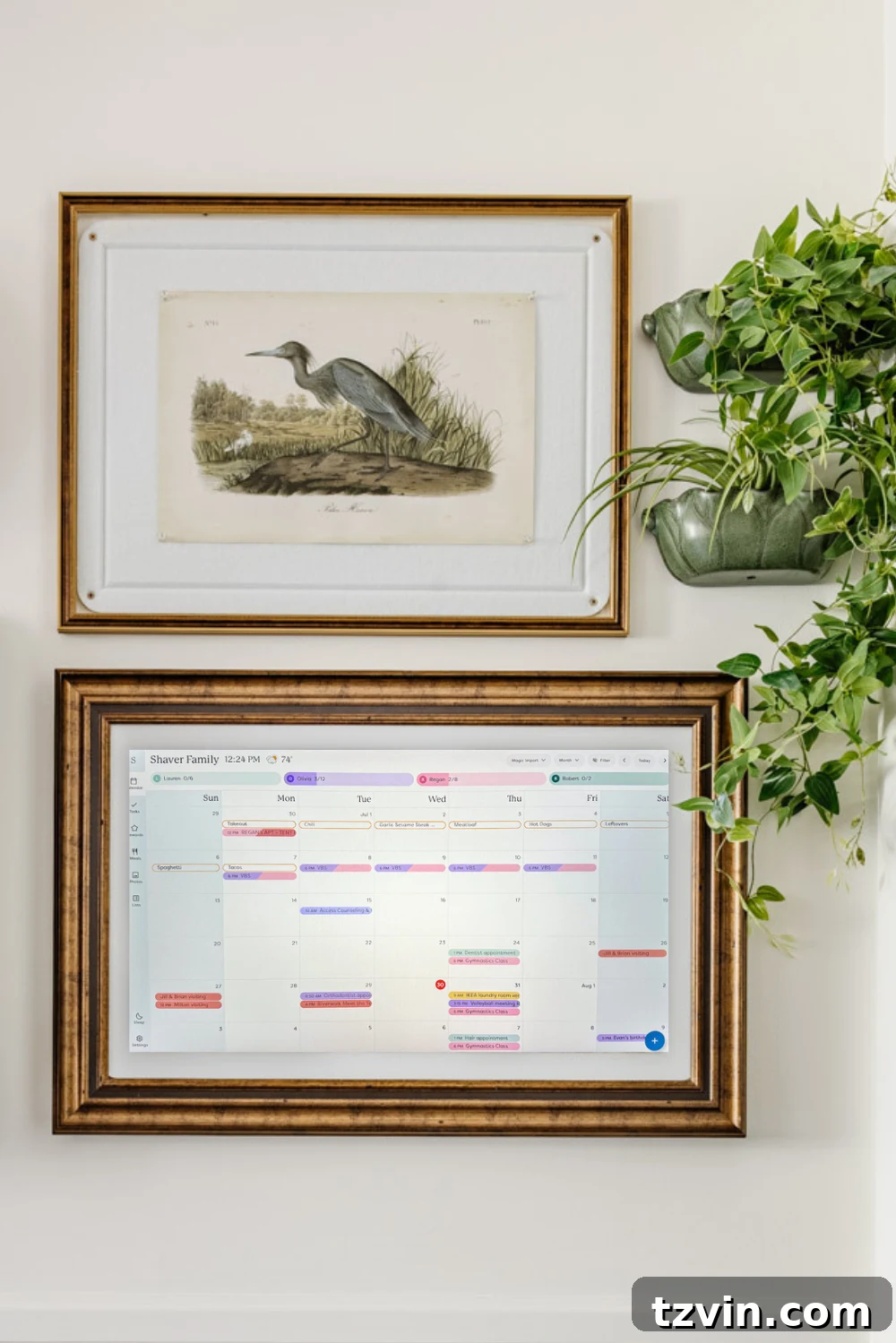
If you’ve ever felt like your family’s schedule demands a full-time personal assistant just to keep track of everything, you’re not alone. The modern family juggle is real: school runs, ballet recitals, dentist appointments, work meetings, and the endless stream of themed school days. It’s a relentless torrent of dates, times, and tasks that can quickly overwhelm even the most organized parents. The mental load of managing a bustling household is immense, often leaving us feeling stretched thin and perpetually behind.
In this whirlwind of activity, a central, highly visible system becomes not just a luxury, but a necessity. The traditional whiteboard or paper calendar often falls short, unable to keep pace with dynamic schedules and digital notifications. This is precisely why many families are turning to smart digital wall calendars, hoping to consolidate chaos into a cohesive, easily accessible format. The promise of such a device is simple: bring all your family’s commitments into one glanceable, interactive hub.

As an Amazon Associate, I earn from qualifying purchases. Full Disclosure | All opinions are authentic and my own. This post is not sponsored by Skylight.
Last year, amidst my own scheduling pandemonium, I reached a breaking point. I desperately needed a more robust system, a digital family command center that could truly streamline our lives. After considerable research, I decided to invest in the Skylight Calendar Max. This impressive 27-inch digital calendar promised to be the ultimate solution, capable of displaying all our synced calendars, chore charts, and even meal plans in one prominent location on our kitchen wall.
Installation took a little longer than expected – life, as it always does, got in the way. But after two solid months of daily use, I’m finally ready to offer a candid, no-holds-barred Skylight Calendar review. Is it truly worth the significant investment? Does it live up to its hype as the ultimate family organizer? I’ll share all the details, including what we love, what we don’t, and whether it has genuinely transformed our family’s organizational flow. Additionally, for those on a tighter budget, I’ve compiled a list of excellent Skylight Calendar alternatives that offer similar functionality without the premium price tag.
Our Experience with the Skylight Calendar Max: A Digital Family Command Center
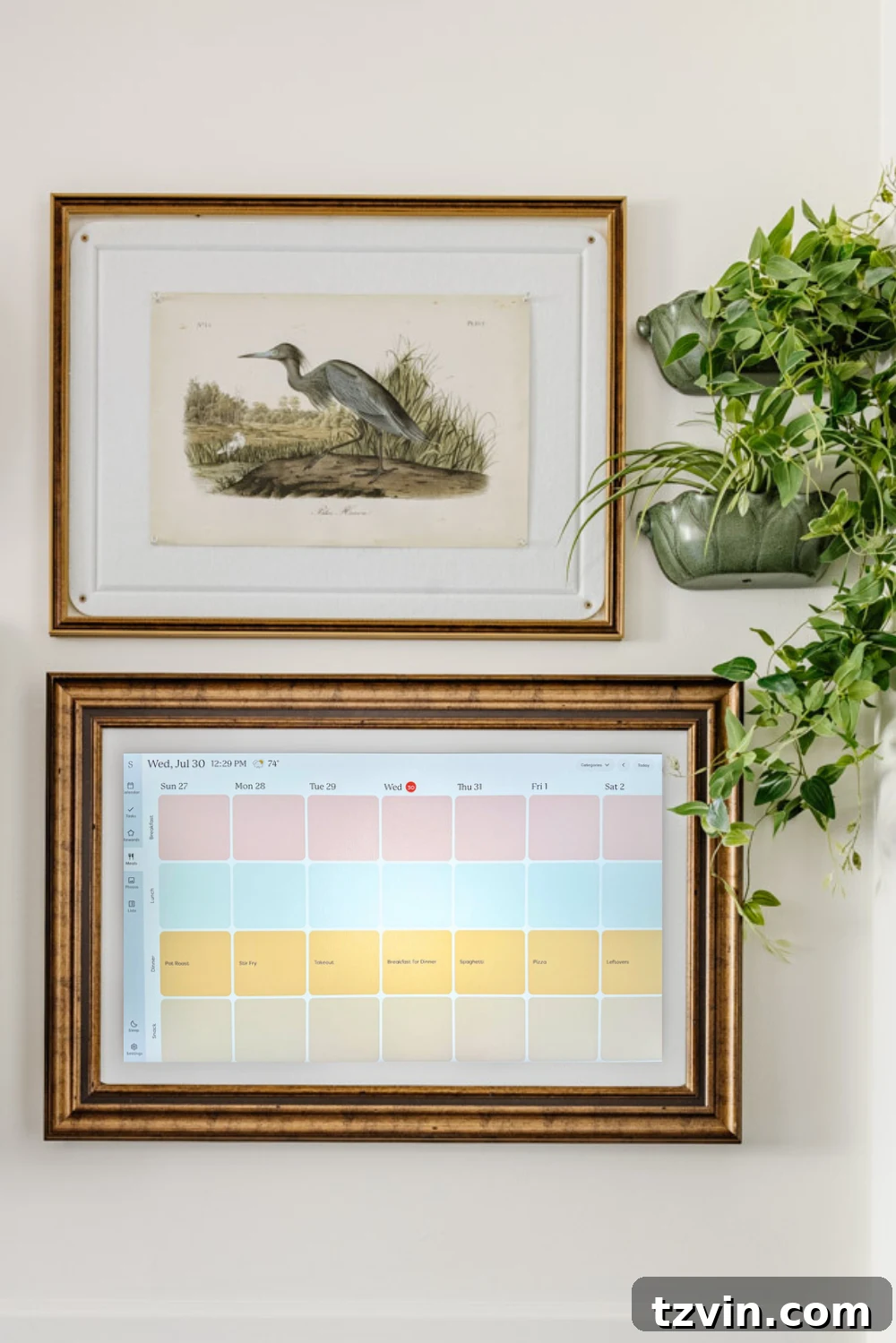
The first thing you notice about the Skylight Calendar Max is its sheer size. At 27 inches, it’s impossible to miss – and that’s precisely its greatest asset. We strategically hung ours in the kitchen, the undisputed heart of our home, a place where every family member passes by countless times throughout the day. This prominent placement has been a game-changer; suddenly, everyone is effortlessly clued into each other’s schedules, minimizing those frustrating “Wait, you didn’t tell me about that!” moments that used to plague our mornings and evenings.

Related: How We Transformed Our Digital Command Center into an Art Gallery Wall
Beyond its functional brilliance, I especially appreciate the Skylight Calendar’s aesthetic versatility. It features a photo screensaver mode that allows you to upload custom images. For our home, this meant transforming the calendar into a rotating display of public domain art, seamlessly integrating it into our kitchen’s existing gallery wall. This functionality elevates it from a mere utility device to a stylish piece of smart home decor, ensuring it enhances rather than detracts from our interior design.
The calendar integrates seamlessly with Google Calendar, which is incredibly convenient for our family as it’s our primary digital planning tool. While it does support other calendar services, Google Calendar offers the most robust two-way syncing, making it truly effortless to manage. This synchronization is the backbone of its effectiveness, ensuring that any update made on a phone or computer instantly appears on the large wall display.
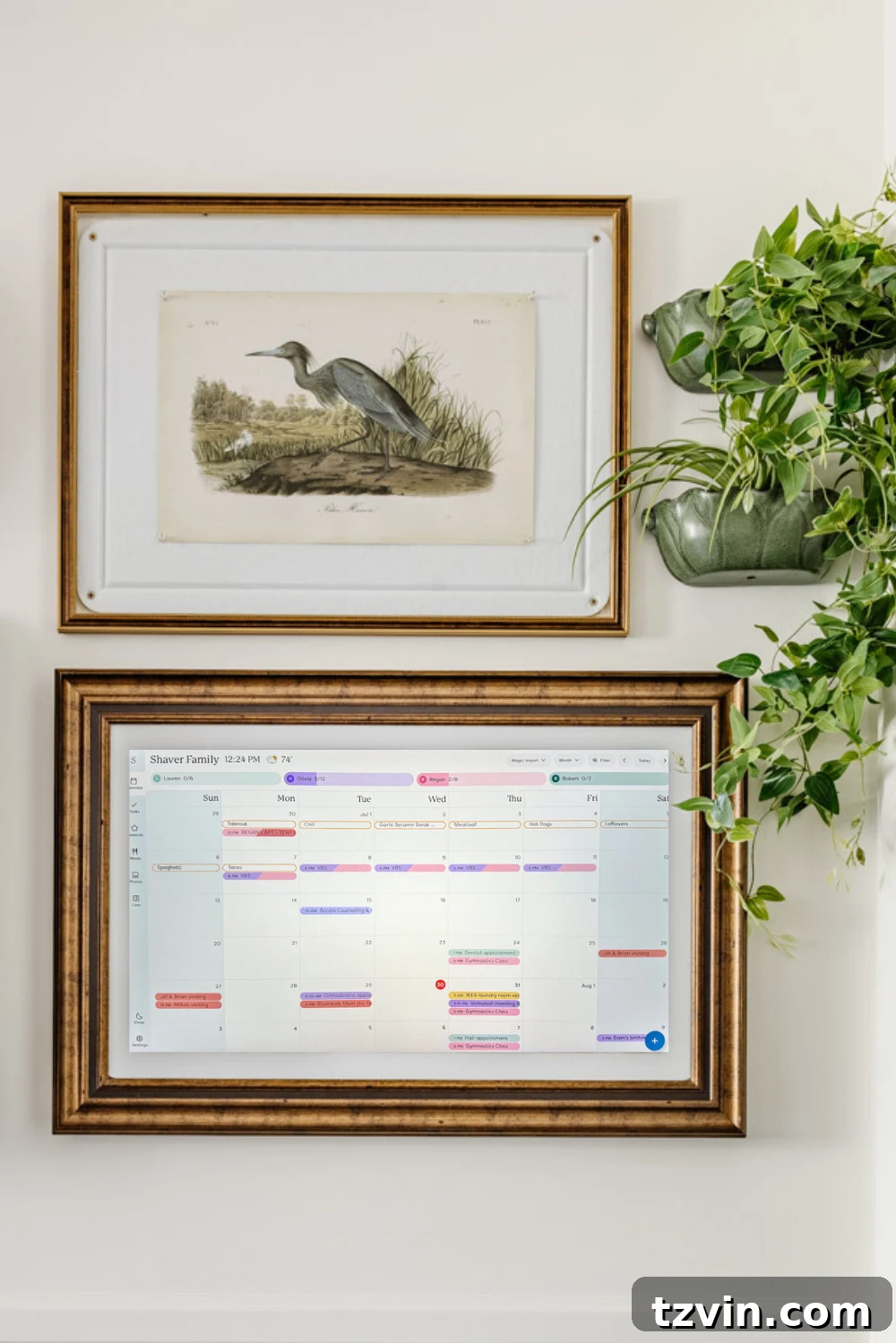
But the Skylight Calendar Max offers far more than just basic calendar display. It’s a comprehensive family organization tool. You can assign daily chores to each family member, plan out weekly meals, and create custom to-do lists for groceries or household tasks. A standout feature is its ability to directly receive forwarded emails or PDFs, automatically converting their content into calendar events, meal plans, or to-do list items. This “Magic Import” capability is a genuine time-saver, eliminating the tedious manual entry of information. I’ve used it to quickly add gymnastics class schedules, school newsletters, and even a last-minute dentist reminder email directly to our shared family calendar.
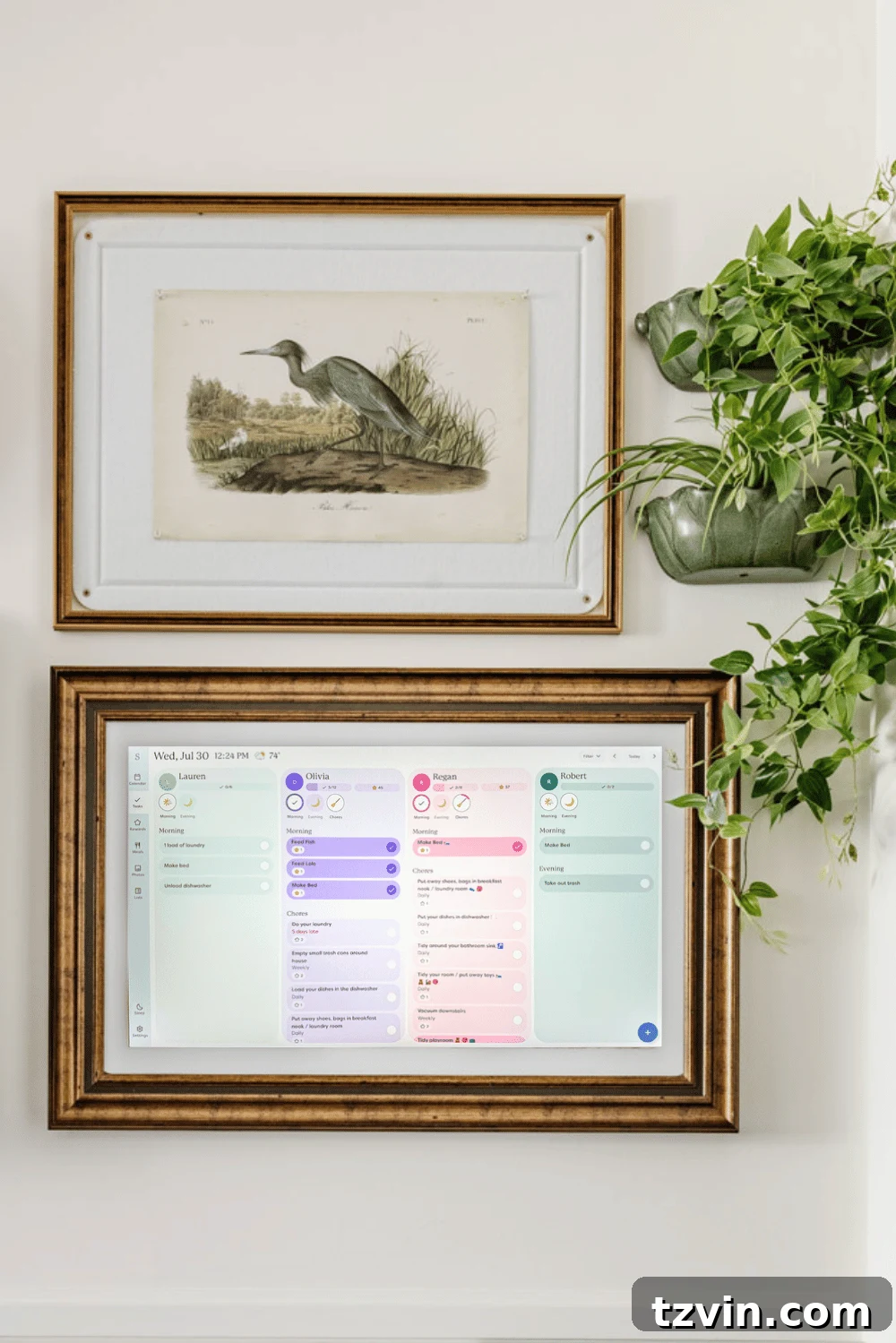
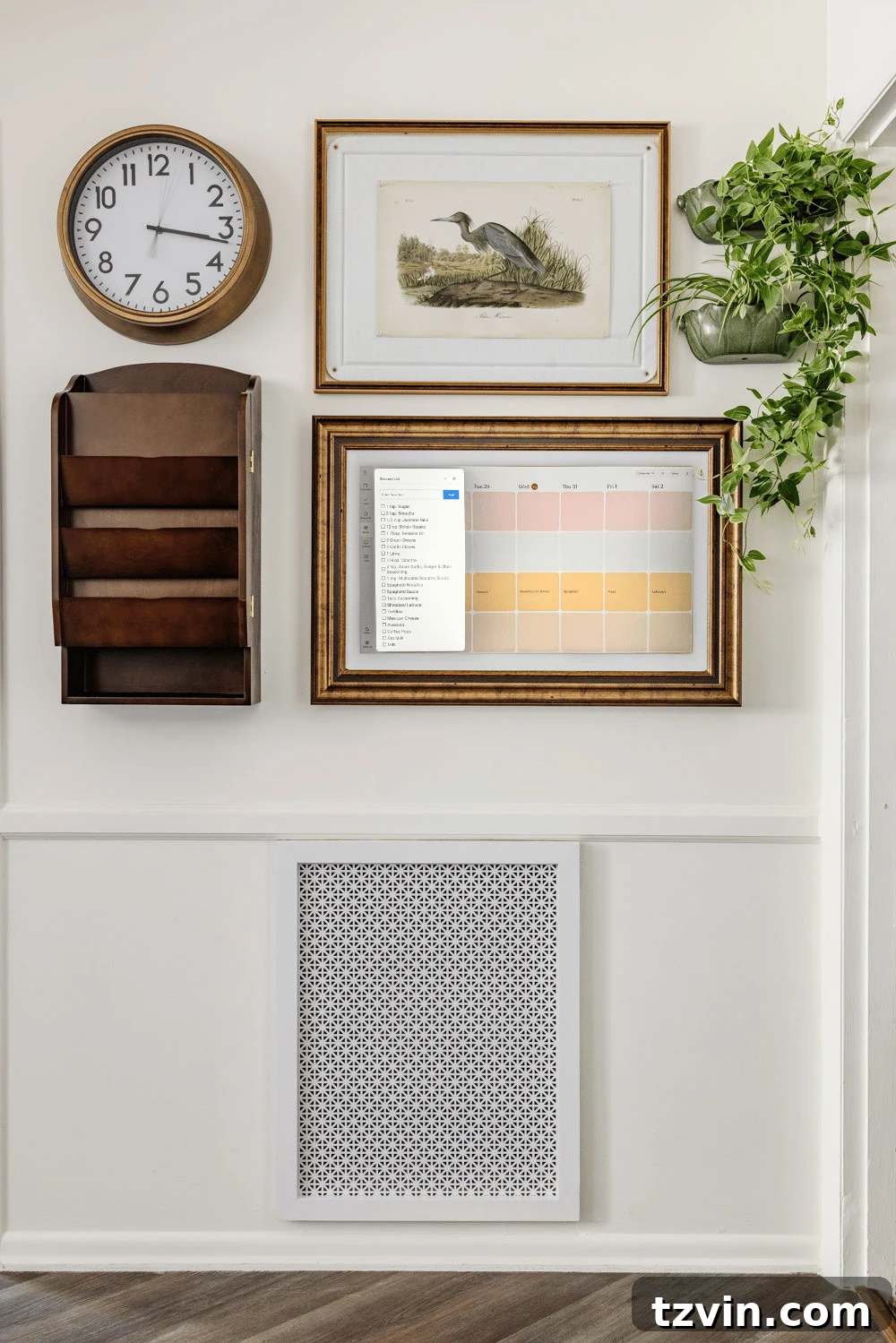
Coupled with our clever entryway storage solution (transforming an armoire into a functional mudroom alternative), the Skylight Calendar Max has proven to be an indispensable addition to our back-to-school organizational strategy. It streamlines communication and responsibilities, creating a more harmonious and less chaotic household environment. The visible, interactive nature of the calendar encourages family participation, fostering a sense of shared responsibility rather than parents being the sole information keepers.
The Investment: Price and Subscription Details
Now, let’s talk about the elephant in the room: the cost. This is a crucial factor for any family considering a smart wall calendar.
- The Skylight Calendar Max typically retails for $629.99 without the Plus Plan subscription. This is a substantial upfront investment that requires careful consideration. While I managed to purchase ours during a Black Friday sale, even with a discount, it remained a significant expense.
- To unlock the full potential of the device, including premium features like meal planning, photo screensavers, and more advanced customization options, you’ll need the Plus Plan subscription, which costs an additional $79 per year. This annual fee, while not exorbitant, certainly adds to the overall cost of ownership and can feel like a “double ouch” after the initial purchase.
I understood it was an investment from the outset, aiming to simplify our complex family life. However, the recurring subscription cost for features that feel essential to the full experience does sting a bit, making you constantly weigh the ongoing value against the annual fee. It’s important to factor this into your long-term budget when considering the Skylight Calendar Max.
Just a heads up for smart shoppers: The Skylight Calendar without the Plus Plan can sometimes be found cheaper on Amazon compared to Skylight’s official website. However, if you definitely want the Plus Plan subscription, it’s often more cost-effective to purchase the Skylight Calendar with Plus Plan directly from their main site, as bundles might be available. Keep an eye out for special promotions at retailers like Costco and Sam’s Club; they occasionally offer excellent deals. My goal is for you to get the best value, so don’t hesitate to shop around!
For those who don’t need the largest display or prefer a more modest investment, Skylight also offers smaller, less expensive Skylight Calendar versions in 15-inch and 10-inch sizes, which might be a good starting point for some families.
What We Absolutely Love About the Skylight Calendar Max
Despite the price, there are several standout features that make the Skylight Calendar Max genuinely impactful for our family:
- The Display is Stunning and Unmissable: Its generous size and vibrant, high-resolution screen make it genuinely impossible to ignore. This means fewer excuses from the kids like, “I didn’t know I had practice!” The visual clarity and brightness ensure that important events, tasks, and reminders are always front and center, visible from across the room.
- Incredibly User-Friendly Interface: Even my husband, who typically shies away from new tech, quickly became proficient with the Skylight interface. It’s intuitive, well-designed, and requires minimal learning, making it accessible for all family members, regardless of their tech savviness.
- Magic Import is a Time-Saving Genius: This feature truly lives up to its name. The ability to forward an email containing a school field trip permission slip, a sports schedule, or a party invitation and have it “magically” transform into a perfectly scheduled calendar event or to-do item is invaluable. It drastically cuts down on manual data entry, saving precious minutes in a busy parent’s day.
- Engaging Smart Features for Chores and Rewards: The chore reward system is brilliant. My kids genuinely enjoy completing their tasks, such as “make your bed” or “tidy your room,” because they get to interact with the screen, check off an item, and watch digital stars dance across the display. Once they’ve accumulated enough stars for the week, they earn their allowance. This gamified approach fosters a sense of responsibility and motivation, reducing the need for constant nagging from parents.
What Could Be Improved: Our Criticisms of the Skylight Calendar Max
While the Skylight Calendar Max offers significant benefits, there are a few aspects that give us pause:
- The Steep Price Tag and Subscription Model: As mentioned, the cost is a major hurdle. The initial purchase price for the Skylight Calendar Max is high, and the necessity of an annual subscription for its most valuable features makes it feel even more expensive. It forces users to continuously evaluate if the ongoing benefits justify the recurring cost.
- Limited Two-Way Syncing Options: Currently, Google Calendar is the only service that offers full two-way synchronization, meaning changes made on either platform update instantly on the other. While it can integrate with Outlook, Apple, Cozi, or Yahoo calendars, these integrations are often one-way or clunkier, requiring more manual effort or workarounds. This can be a significant drawback for families not primarily using Google Calendar.
- Reliance on Wi-Fi Connectivity: The device is essentially non-functional without a stable internet connection. If your home Wi-Fi goes down, so does your access to the calendar, its features, and any updates. While temporary, this lack of offline functionality can be inconvenient during internet outages.
- Absence of a Desktop Application: This is a personal frustration. I prefer to manage and input detailed information on a larger laptop screen rather than being confined to a small mobile phone display. Unfortunately, Skylight only offers a mobile app for remote scheduling and management, meaning all detailed planning must be done on a smartphone or tablet, which isn’t ideal for everyone.
Skylight Calendar Features Broken Down: Free vs. Paid
To help you make an informed decision, let’s break down the various features offered by the Skylight Calendar, distinguishing between those included with the base device and those requiring the paid Plus Plan subscription.
Essential Free Features Included with the Skylight Calendar:
These core functionalities are available to all Skylight Calendar owners, even without a premium subscription, providing a solid foundation for family organization:
- Color-Coded Calendars for Each Family Member: Assign unique colors to individuals, making it simple to visualize who needs to be where and when, effortlessly spotting schedule overlaps.
- Interactive Chore Chart & Routines/Tasks Tracker: A basic but effective system to assign and track responsibilities, helping children stay accountable for their daily or weekly tasks.
- Custom Lists Feature: Create versatile lists for anything from grocery shopping and packing lists to household chores or vacation planning.
- Multiple Calendar Views: Toggle between day, week, month, and schedule formats to best suit your family’s planning needs and visual preferences.
- Local Weather Forecasts: Receive relevant weather updates tied to event locations and times, helping you plan accordingly.
- Automatic Sleep Mode: The display automatically turns off at night and wakes up in the morning, conserving energy and preventing light pollution in sleeping areas.
- Mobile App Access: All family members can manage, view, and update the calendar remotely via the intuitive mobile application.
- Parental Controls with PIN-Protected Lock: Secure your calendar with a PIN to prevent unauthorized edits by younger children, ensuring schedule integrity.
- Device Linking & Shared Access: Connect multiple Skylight devices within your home or share access with extended family members (e.g., grandparents, co-parents) to keep everyone in the loop on kids’ schedules.
Premium Plus Plan Subscription Features: Unlocking Enhanced Functionality
The annual Plus Plan subscription ($79/year) unlocks these advanced features, significantly enhancing the calendar’s utility and automation:
- Sidekick AI + Magic Import: This flagship feature allows you to forward emails, PDFs, images, or flyers directly to your Skylight Calendar. The AI then automatically converts the content into smart calendar events, meal plans, to-do items, and reminders, saving immense amounts of time and manual input.
- Advanced Meal Planning & Recipes Tool: Access an intelligent tool that can generate AI-powered menus, create comprehensive ingredient lists, and even export grocery lists directly to your phone. This transforms meal prep into a seamless process.
- Enhanced Rewards System: Elevate the chore chart with a robust rewards system where kids earn “reward stars” for completing tasks. This gamified approach dramatically boosts motivation and makes chores less of a battle – a truly beloved feature in our household that significantly reduces parental nagging.
- Photo Screensaver Mode: When the calendar isn’t actively displaying events, you can transform it into a dynamic digital photo frame, showcasing your favorite family photos or slideshows. This is the feature that allowed us to integrate the calendar as a rotating art display within our gallery wall setup.

Skylight Calendar Alternatives: Exploring Other Digital Wall Calendars
The Skylight Calendar Max is an excellent product, but it’s not the only player in the market. Several alternatives offer similar or complementary functionalities, often at different price points or with unique features. Understanding these options is key to finding the best digital wall calendar for your family’s specific needs and budget.
Comparative Analysis: Skylight vs. Competitors
Skylight Calendar Max vs. Amazon Echo Show 15
- Size: Skylight = 27″, Amazon Echo Show 15 = 15.6″. The Skylight offers a significantly larger, more impactful display for central family viewing.
- Primary Focus: Skylight is a dedicated family calendar and organizer, designed for minimal distractions. The Echo Show 15 is a multipurpose smart display offering Alexa voice assistant, streaming services, and smart home integration, making it more of a versatile hub.
- Key Features: Skylight boasts advanced features like AI Magic Import and highly customizable, color-coded calendars. The Echo provides basic calendar widgets, reminders, and video calling capabilities, leveraging the Alexa ecosystem.
- Calendar Integrations: Skylight excels with Google Calendar, offering the best two-way syncing. The Echo is more flexible, integrating well with Google, Apple, and Microsoft calendars.
- Cost Structure: Skylight = $599.99 + an annual $79 subscription. The Echo Show 15 is significantly more affordable at $249.99 with no required subscription. Note that a comparable 15-inch Skylight Calendar is $279.99 + $79/yr, making the Echo 15 a competitive choice in that size range.
- Best for:
- Skylight: Ideal for busy families prioritizing a large, dedicated, and distraction-free digital command center for schedules and tasks.
- Echo Show 15: Perfect for households already deeply integrated into the Amazon Alexa ecosystem, seeking a more affordable, versatile smart display that combines calendar functions with entertainment and smart home control.
Skylight Calendar Max vs. Cozyla
- Size: Skylight = 27″, Cozyla = 24″. Both offer large displays, with Skylight having a slight edge in size.
- Primary Focus: Skylight dedicates different organization categories to separate screens for focused views. Cozyla aims to be an all-in-one family organizer, displaying multiple categories like calendars, weather, and notes at a glance on the same screen.
- Key Features: Skylight features its powerful AI Magic Import. Cozyla uniquely offers built-in video calling capability, enhancing communication beyond just scheduling.
- Calendar Integrations: Skylight offers optimal two-way sync with Google Calendar. Cozyla boasts robust two-way syncing across Google, Apple, and Outlook calendars, offering greater flexibility.
- Cost Structure: Skylight = $599.99 + $79/yr subscription. Cozyla is priced at $699.99, but notably, it does not require a subscription for its core features. This makes its total cost of ownership potentially lower over time.
- Best for: Skylight is ideal for families seeking a large, all-in-one digital command center with strong AI-driven import features. Cozyla suits families who value comprehensive organization and multimedia display capabilities, particularly the integrated video calling, without an ongoing subscription fee.
Skylight Calendar Max vs. DAKboard
- Size: Skylight = 27″. DAKboard offers customizable sizes, ranging from 15.6″ up to 32″, giving users more flexibility to choose their ideal display dimensions.
- Primary Focus: Skylight is a purpose-built, family-oriented organizer focused on ease of use. DAKboard provides a highly customizable display platform, allowing users to curate calendars, photos, news feeds, and weather information.
- Key Features: Skylight comes as an out-of-the-box organizer with features like AI Magic Import and a chore reward system. DAKboard offers a widget-based system for calendars, news, photos, and smart home integration, but it requires significantly more setup and technical know-how.
- Calendar Integrations: Skylight prioritizes Google Calendar for optimal two-way sync, with other integrations offering one-way functionality. DAKboard supports a wider array of integrations including Google, Apple, Microsoft, and iCal, offering broad compatibility.
- Cost Structure: Skylight = $599.99 + $79/yr subscription. DAKboard hardware typically ranges from $499–$649, with an optional $5/month premium subscription for advanced features. The DAKboard software can also be self-hosted on a Raspberry Pi for minimal cost for very tech-savvy users.
- Best for: Skylight is best for families seeking a ready-to-use, intuitive family organizer with minimal configuration. DAKboard is ideal for tech-savvy users who desire total control and customization over their digital display, willing to invest time in setup for a tailored experience.
Skylight Calendar Max vs. Hearth Display
- Size: Both Skylight and Hearth offer a 27″ display, providing an equally large and impactful visual presence.
- Primary Focus: Both devices are dedicated digital family calendars and organizers, aiming to streamline household management.
- Key Features: Skylight stands out with its Magic Import feature, simplifying event creation from digital documents. Hearth distinguishes itself with an attractive wooden frame and kid-friendly icons, making it particularly appealing for families with younger children who are still developing reading skills.
- Calendar Integrations: Skylight offers optimal two-way sync with Google Calendar, with other services providing one-way integration. Hearth offers two-way syncing with both Google and Outlook, alongside one-way integration for other calendars.
- Cost Structure: Skylight = $599.99 + $79/yr subscription. Hearth is priced slightly higher at $699, with an optional $86.40/yr subscription for premium features. Both represent a significant investment, with similar ongoing subscription costs for advanced functionality.
- Best for: Skylight is best suited for families who heavily utilize email or PDF documents for scheduling and desire seamless import capabilities. Hearth is an excellent choice for families prioritizing aesthetic integration and a strong focus on kid-friendly routines and visual cues for younger children.
More Budget-Friendly Digital Wall Display Alternatives
If the price tags of dedicated digital wall calendars are beyond your current budget, rest assured there are more affordable, software-based alternatives that can still significantly boost your family’s organization. These options leverage existing devices or simply rely on mobile apps:
1. Mango Display: Transform Existing Screens
Mango Display is a brilliant software solution that allows you to repurpose any existing screen you own – think an old iPad, Android tablet, or even a spare monitor – into a fully functional family calendar display. This approach eliminates the need to purchase new, expensive hardware. Plans for Mango Display start at a very budget-friendly $5 a month or $60 a year, making it a considerably more economical choice for families looking for a large-screen digital organizer without the high upfront cost of a dedicated device. It’s an excellent way to dip your toes into digital wall calendars.
2. Cozi Family Organizer (App): Comprehensive Mobile Management
Cozi is a long-standing and highly popular app-based solution for family organization. It offers a shared family calendar, comprehensive to-do lists, and even meal planning features, all accessible from individual family members’ smartphones or tablets. The basic version of Cozi is entirely free, with an optional premium subscription (Cozi Gold) available for $29.99 per year, which unlocks additional features like an ad-free experience, multiple reminders, and birthday tracking. While it lacks a large, central wall display, its strength lies in its mobility and accessibility, ensuring everyone has their schedule and tasks at their fingertips, wherever they go.
3. OurCal (App): Simple Shared Calendaring
OurCal is another robust app-based option focusing on shared family calendars and integrated messaging. What sets OurCal apart is that it’s completely free, making it an incredibly accessible solution for any family. It’s designed to be straightforward and intuitive, simple enough for even less tech-savvy family members, like grandparents, to easily adopt and use. If your primary need is a shared calendar and direct communication without the need for dedicated hardware or extensive features, OurCal provides a clean, effective solution.
Final Thoughts: Is the Skylight Calendar Max Right for Your Family?
After thoroughly testing and integrating various organizational tools into our daily routine, the Skylight Calendar Max remains our top choice among all the options available. It has genuinely transformed our family’s dynamic, moving us from a state of constant scheduling chaos to one of much greater order and shared awareness. The expansive, bright display ensures everyone stays in the loop, and its intuitive interface makes it easy for all family members to interact with it, from tracking chores to reviewing upcoming events. The “Magic Import” feature, in particular, has become an indispensable time-saver, simplifying the input of complex schedules.
However, I must be completely transparent: the initial purchase price and the ongoing annual subscription for the Plus Plan are significant considerations. This investment gives me pause, and it’s a factor that every prospective buyer must weigh carefully against their budget and perceived value. For some families, this cost might simply be too high, making other alternatives a more practical choice.
If the premium price of the Skylight Calendar Max is a deterrent, I highly recommend exploring the excellent Skylight Calendar alternatives detailed above. Solutions like the Amazon Echo Show 15, Cozyla, DAKboard, or Hearth Display offer compelling feature sets that might better align with different needs and financial capacities. Alternatively, more budget-friendly app-based options like Mango Display, Cozi Family Organizer, or OurCal can provide substantial organizational benefits by utilizing existing devices or simply leveraging mobile technology.
Ultimately, the “best” digital calendar for your family is the one that everyone will consistently and enthusiastically use. Its effectiveness hinges on integration into daily habits and its ability to truly simplify your life. For our family, the Skylight Calendar Max has achieved this goal remarkably well, and we are incredibly happy with its impact on our household. It has become a central, irreplaceable hub that keeps us connected, informed, and—most importantly—more organized.
More “Brutally Honest” Product Reviews for Your Home:
If you appreciate candid, real-world assessments of home products, explore more of our unbiased reviews to help you make informed purchasing decisions:
- Our Walmart Patio Furniture Review & How It’s Held Up Over the Years
- Our Pottery Barn Sofa Review: What You Should Know Before Buying
- Our Ruggable Rugs & When We Would (and Wouldn’t) Recommend Them
- How We Really Feel About the Bartesian Cocktail Maker